Learn how to integrate notifications with Webex Teams.
Admin role required: Global Admin

Feature availability varies by plan. Check What's in each plan on our pricing page to see if it's included in yours, or talk to our sales team about upgrading.
1. Log in to the Visitly Dashboard.
2. Navigate to Integrations Hub > Notification > Webex
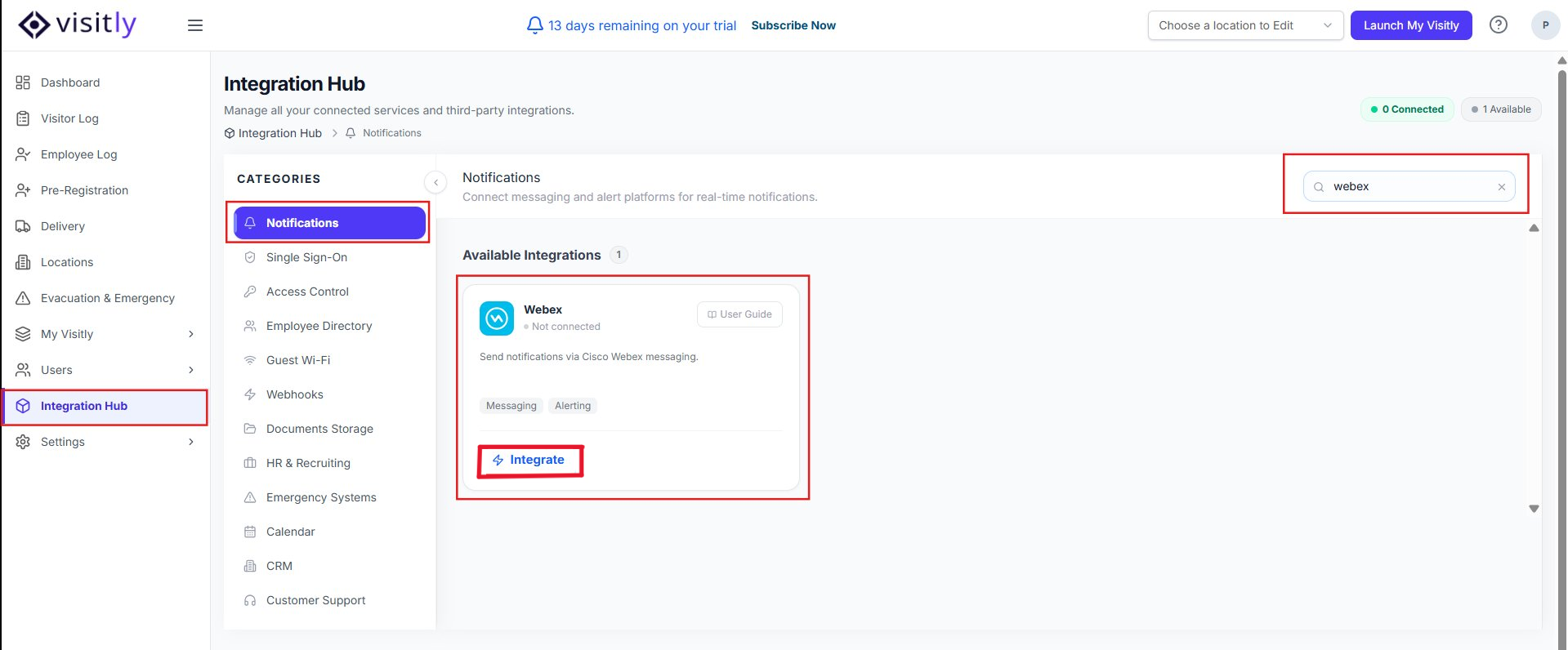 3. Click the Integrate button under Webex Teams. Then click on Connect on the next screen.
A new browser tab will open prompting you to log in to your Slack account.
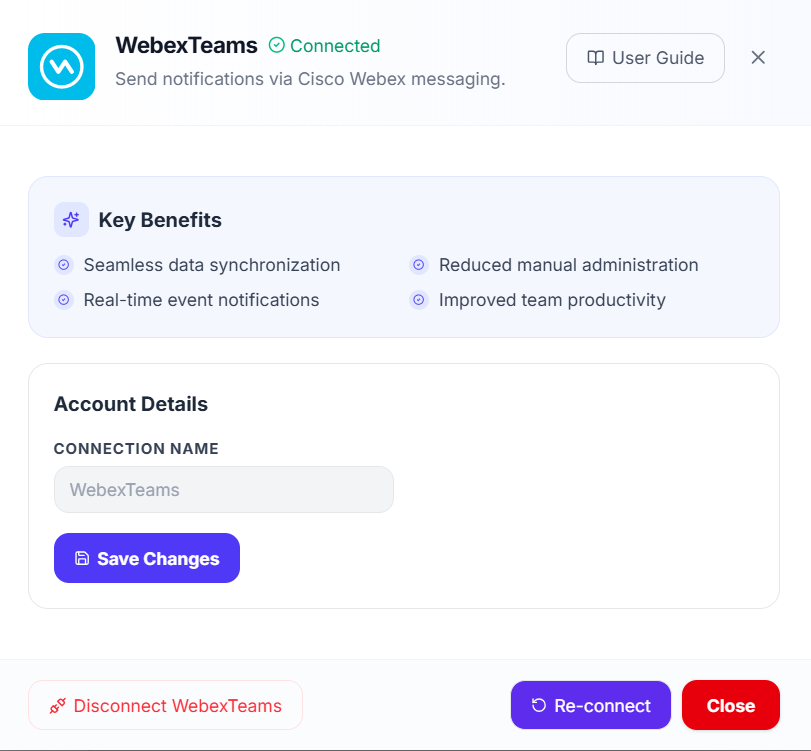
5. Log in to Webex and click Authorize to allow Visitly to interact with your Webex.
Upon successful integration, the page will refresh, and you’ll see options to Uninstall or Reinstall the Webex integration.
6. Go to Locations → Edit Location → Notifications.
7. Click Add New and configure the notification settings.
8. In the Channel dropdown, select Webex Teams, and then save your changes.
9. Create a test visit to ensure notifications are successfully sent.
For further assistance, please reach out to Visitly Support.
Was this article helpful?
That’s Great!
Thank you for your feedback
Sorry! We couldn't be helpful
Thank you for your feedback
Feedback sent
We appreciate your effort and will try to fix the article