Admin role required: Global Admin, Location Admin and Front Desk Admin

Feature availability varies by plan. Check What's in each plan on our pricing page to see if it's included in yours, or talk to our sales team about upgrading.
The My Past Visitors feature allows you to efficiently maintain workplace security and accountability by providing detailed records of past visitors. This tool enables you to track visitor activity, including essential details like contact information, host, and purpose of visit.
Access & Review My Past Visitors
1. Navigate to My Visitly > My Past Visitors via the left panel.
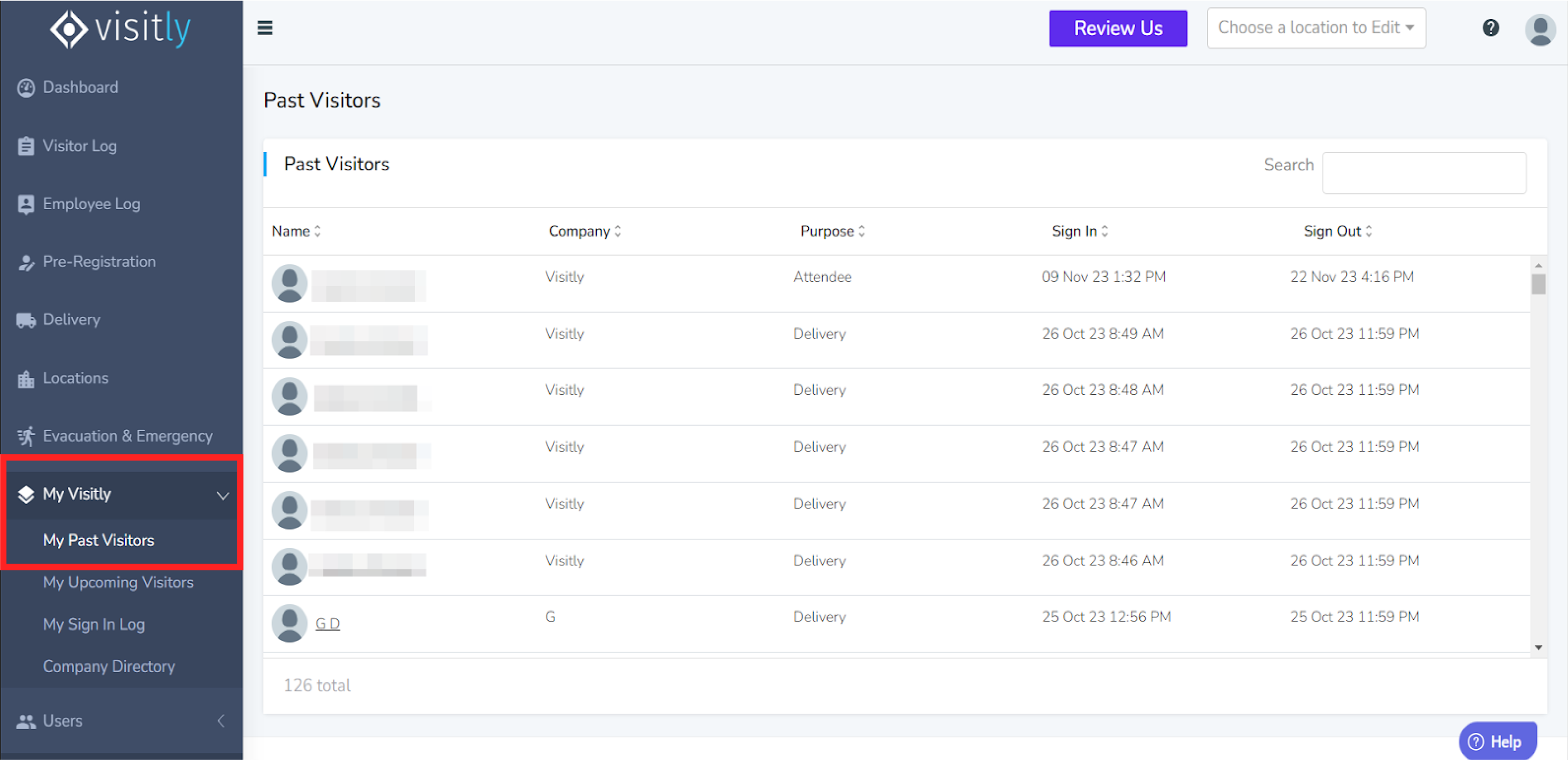
The Past Visitors page will display a comprehensive list of your previous visitors.
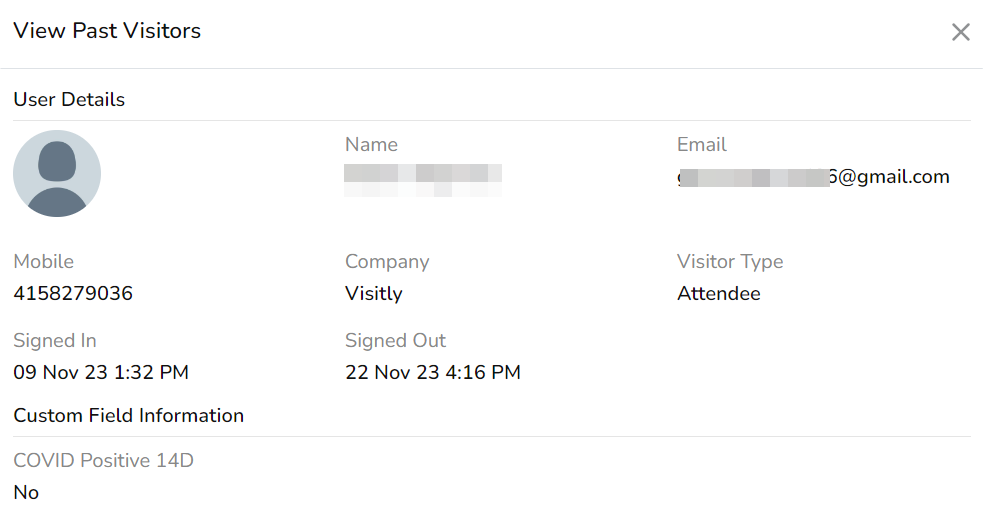
Here, you can view key details, such as:
Visitor’s organization
Purpose of the visit
Contact number and email address
Date and time of both sign-in and sign-out
Was this article helpful?
That’s Great!
Thank you for your feedback
Sorry! We couldn't be helpful
Thank you for your feedback
Feedback sent
We appreciate your effort and will try to fix the article