Admin role required: Global Admin and Location Admin

Feature availability varies by plan. Check What's in each plan on our pricing page to see if it's included in yours, or talk to our sales team about upgrading.
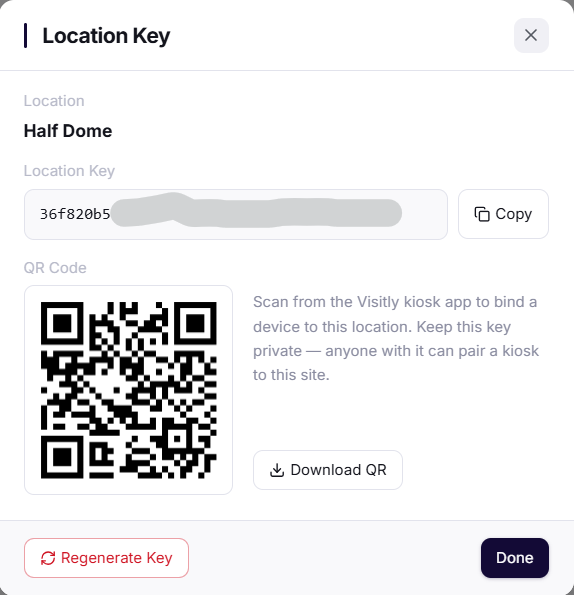
A Location Key is a unique identifier for each site in Visitly, used to link a new device securely.
Regenerate Location Key
1. Navigate to the Locations page.
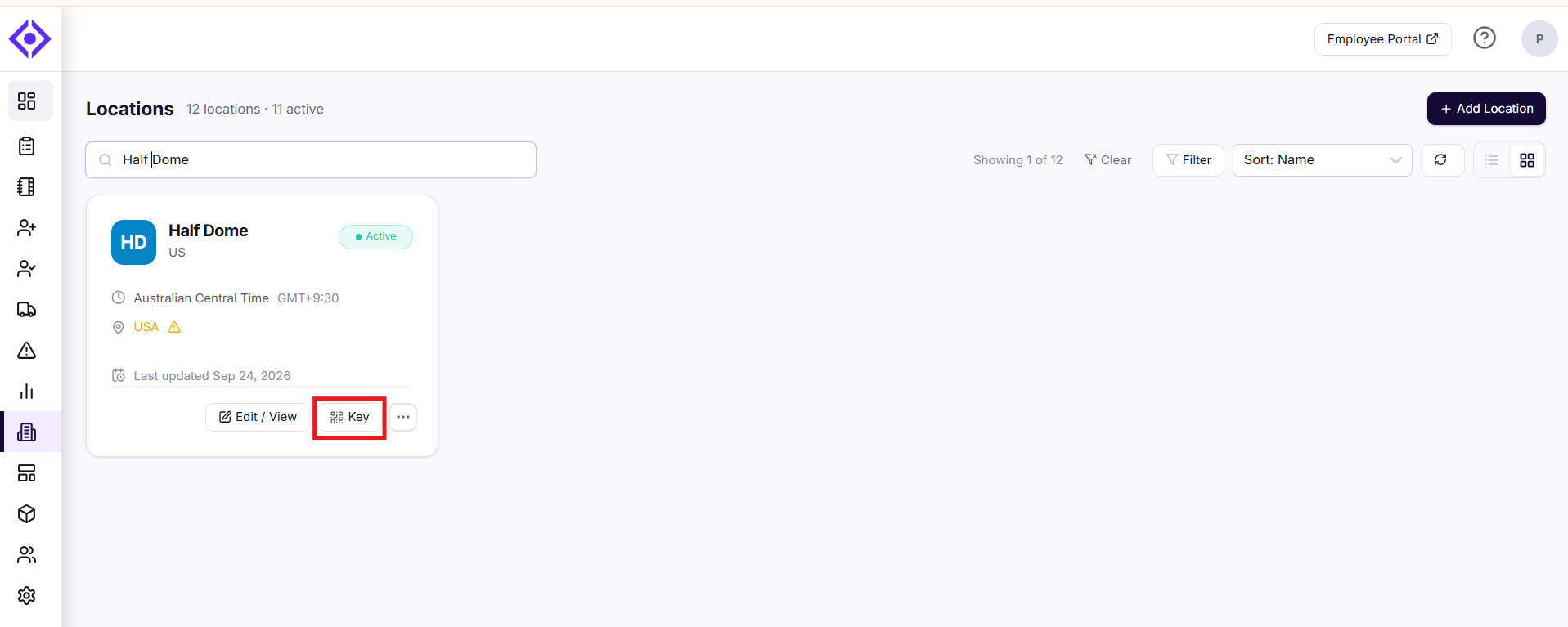
2. Under the specific location select Key. You can also go to Edit and select Key in edit mode.
3. Click Re-Generate Key.
Was this article helpful?
That’s Great!
Thank you for your feedback
Sorry! We couldn't be helpful
Thank you for your feedback
Feedback sent
We appreciate your effort and will try to fix the article